4.2.2 新增裝置
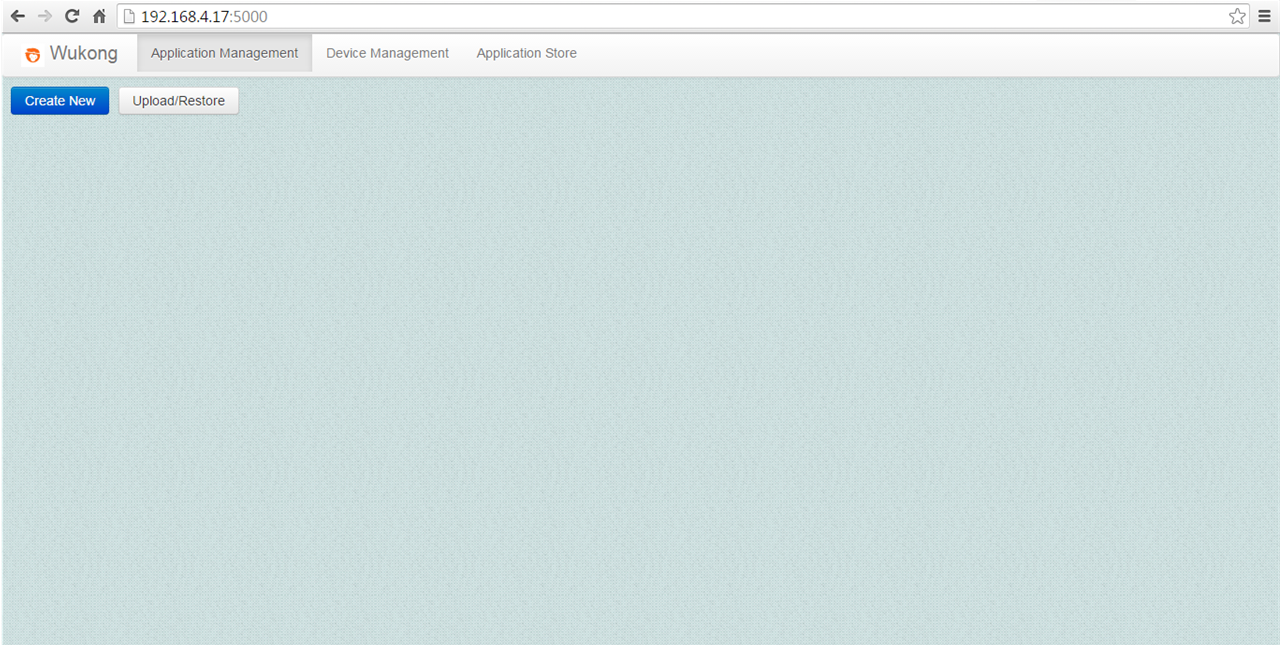
使用 Chrome 瀏覽器開啟主控台介面: http://localhost:5000
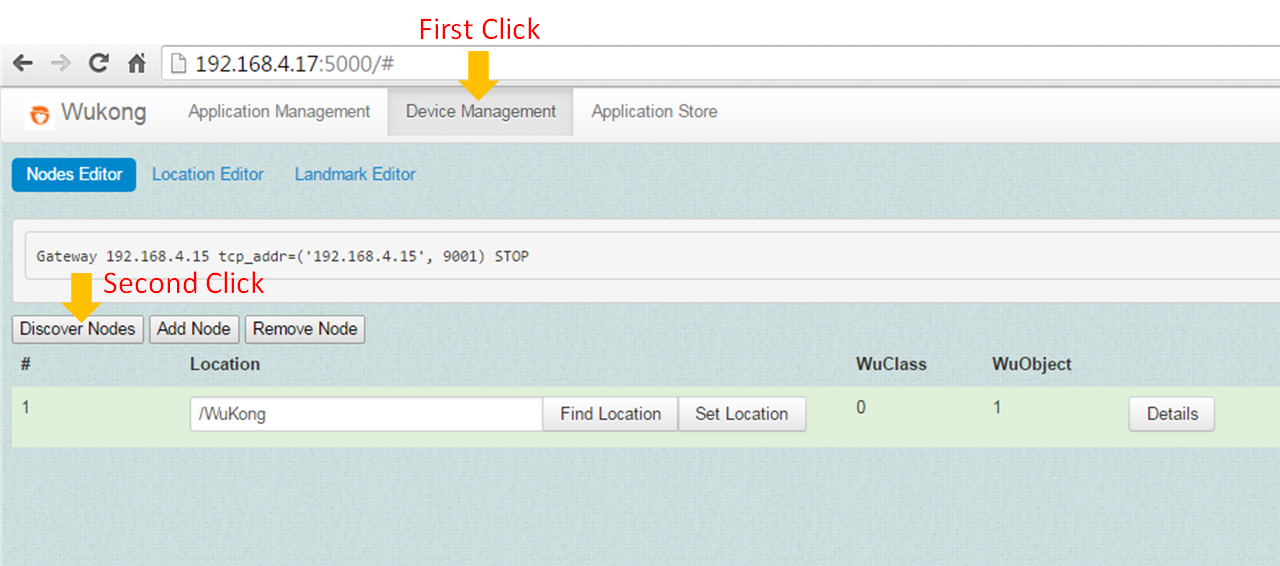
點選 Device Management 分頁並點擊 Discover Node 按鈕來獲得初始狀態。
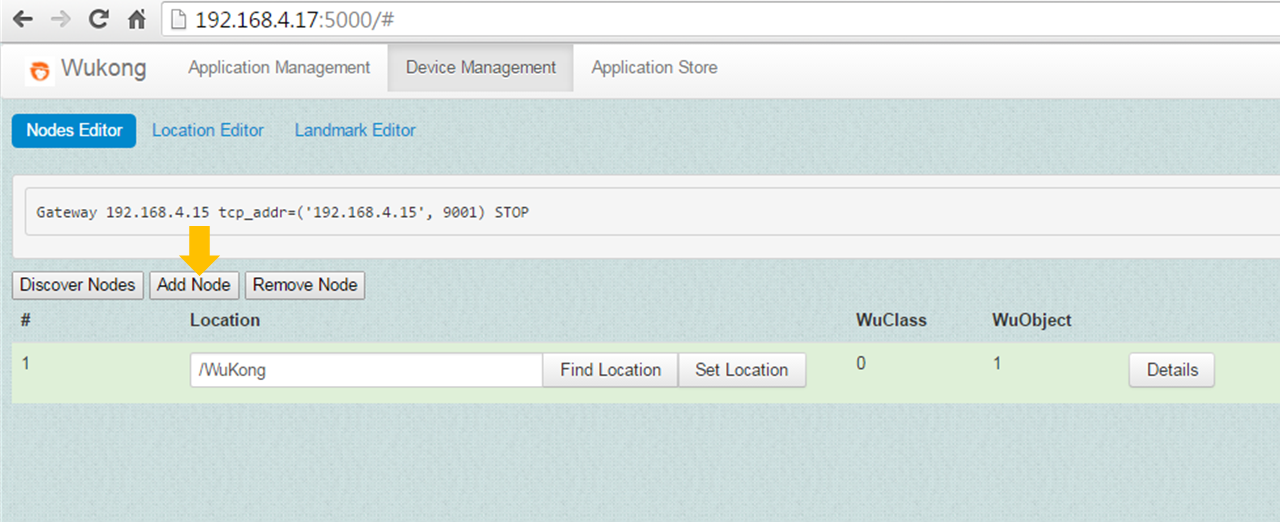
點擊主控台上的 Add Node 按鈕來新增物聯網裝置。

開啟一個新的終端機並且 SSH 登入至物聯網開發版。
ssh root@<IP address of IoT board>當 SSH 登入成功後,移至物聯網開發版上的 Python 悟空類別的資料夾。
cd <path_of_source_code>/wukong-darjeeling/wukong/gateway/udpwkpf/執行裝置程式 udpdevice_blink_led.py 。這個程式會啟動一個裝置並且從通訊閘取得一個裝置識別碼,之後在此裝置上產生兩個悟空物件,分別是 Button 跟 Light Actuator。
python udpdevice_blink_led.py <IP address of Gateway> \
<IP address of IoT board>:<arbitrary port number>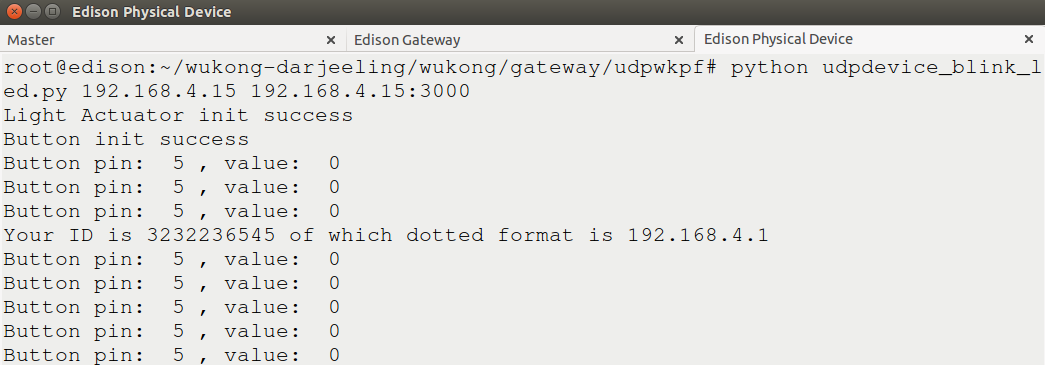
當主控台出現下列文字時,點擊 Stop to complete operation 按鈕。

點擊 Discover Nodes 按鈕以刷新裝置列表。
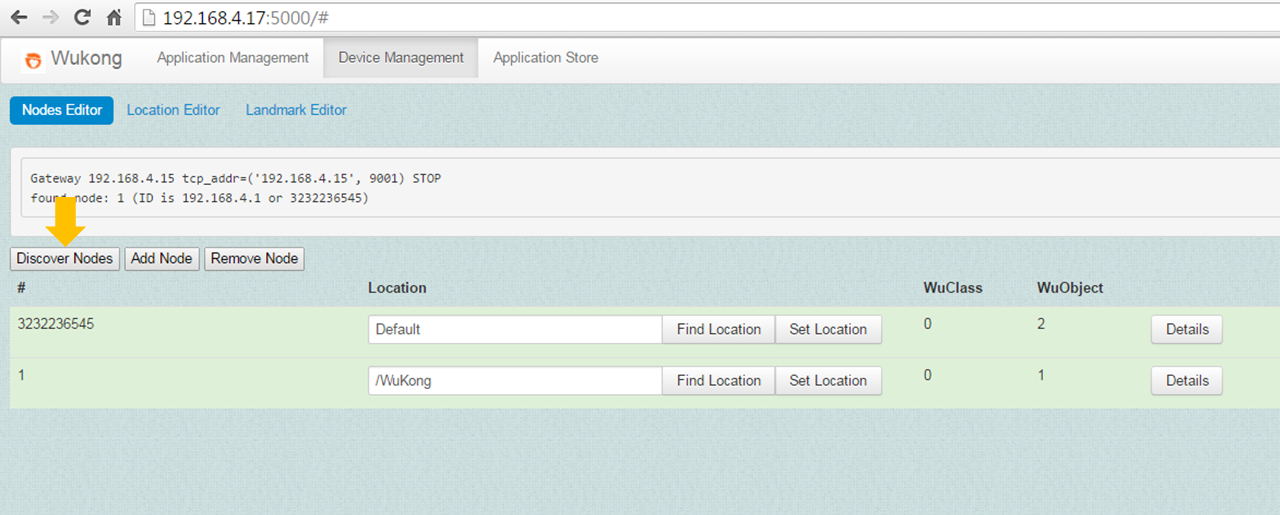
更改裝置的位置並點擊 Set Location 按鈕以儲存。

點擊 Details 按鈕即可查看此 Python 裝置的傳感器資料。
